

Appearance
Choosing who a private sale is for
A private sale is offered to your own clients rather than listed for everyone. Its Audience tab is where you keep a list of the clients it's for. Auctions don't have an audience.
The audience is your record of who the sale is for. It doesn't lock the sale: anyone with the sale's link can still open it, so you can share the link however you like without building an audience first. If your plan includes Marketing, you can also email the audience an invitation.
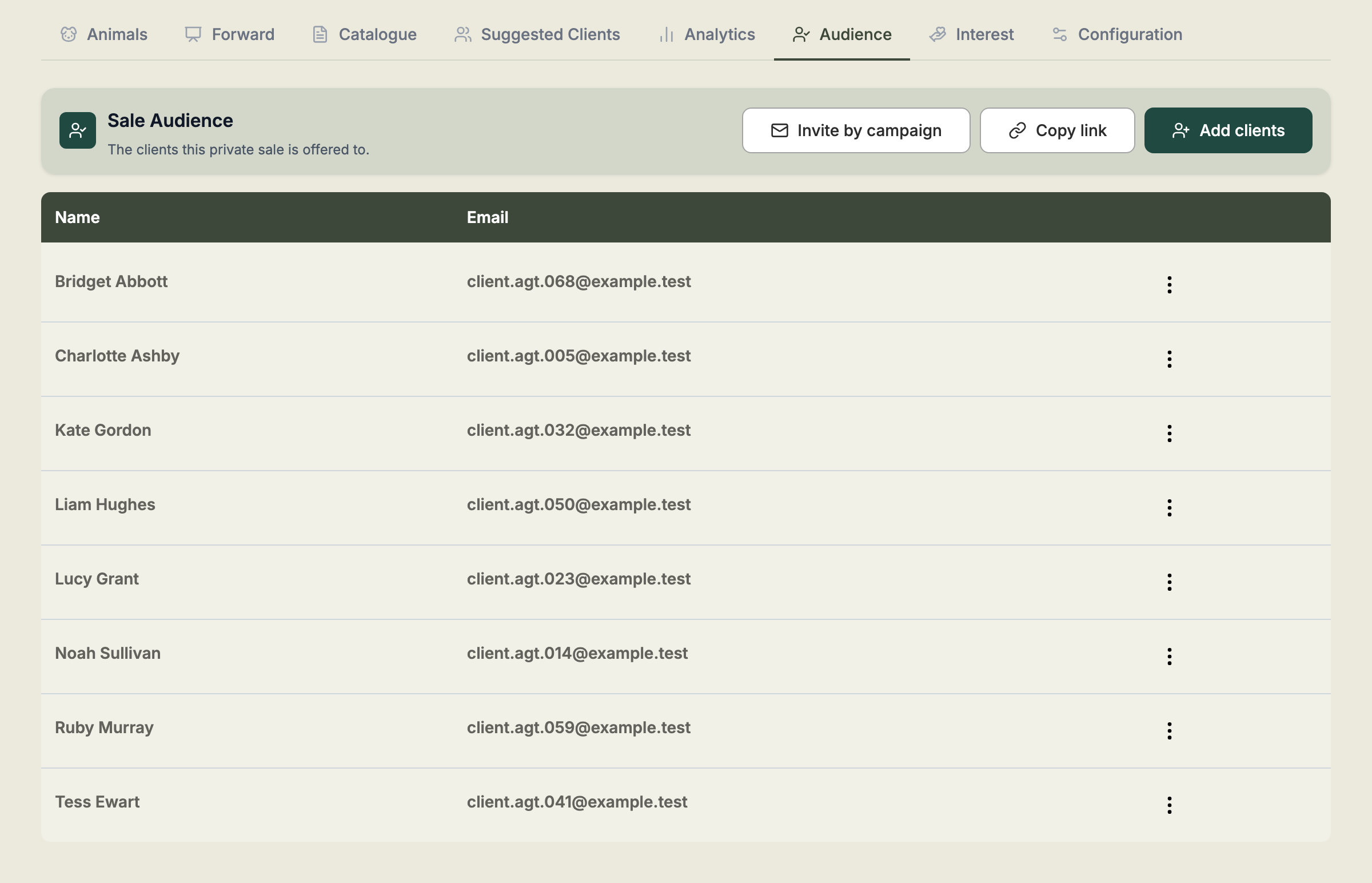
Add clients
- Open the private sale and select the Audience tab.
- Select Add clients.
- Search for a client by name and pick them. Pick as many as you like, one at a time. Select the ✕ beside a name to take it off the list.
- To add a group of clients, pick one or more Tags. Everyone who carries the tag right now is added.
- Select Add.
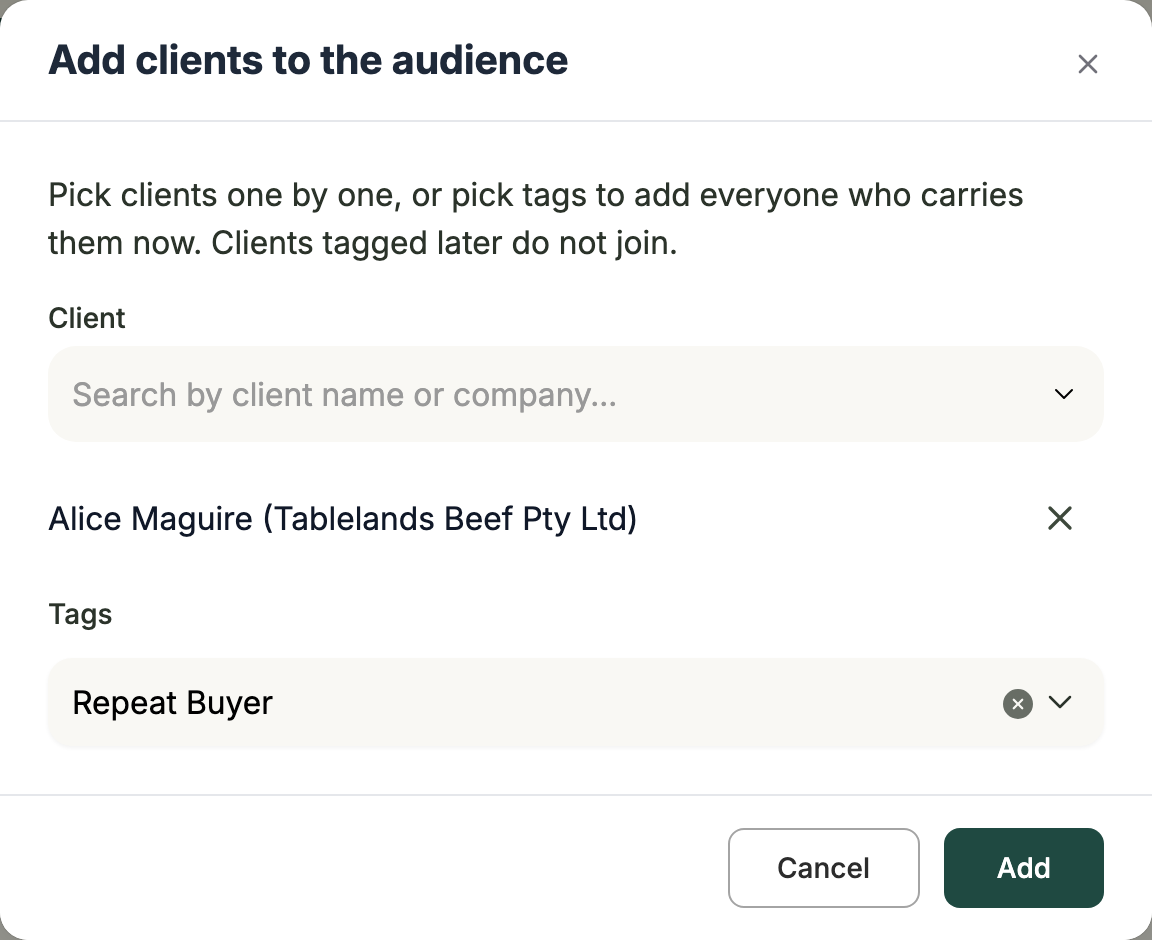
Frisbee tells you how many clients were added, and how many were already in the audience.
A tag is copied, not linked
Picking a tag adds the clients who carry it at that moment. If you tag another client later, they don't join the audience, and taking a tag off a client doesn't remove them. Add or remove them on the Audience tab.
Clients without an email address
Every client in an audience needs an email address.
- If you pick a client by name who has no email address, Frisbee asks you to add one first. Add it on the client's record, then add them again.
- If a tag includes clients without an email address, everyone else is added and those clients are listed under Needs an email. Type an email address for each one and select Add. The address is saved to their client record and they join the audience.
If a client's email address is removed later, they stay in the audience and show No email.
Each client record is its own member, so two records that share an email address are both in the audience.
Remove a client
- On the Audience tab, select the ⋮ menu on the client's row.
- Select Remove from audience, then Remove.
Removing a client from the audience doesn't change their client record or their tags.
Copy the sale's link
Select Copy link to copy the address of your sale page, ready to paste into a text or an email. The sale needs to be published first; if it hasn't been, Frisbee asks you to publish it.
Invite the audience by campaign
If your plan includes Marketing, select Invite by campaign on the Audience tab. The campaign editor opens with this sale picked and This sale's audience chosen under Send to. Build the email as you would any campaign, then send it or schedule it.
- One email per address. Two client records that share an email address get one email between them.
- Removed clients aren't emailed. A client you take out of the audience before you send doesn't get the email. If you send straight after removing someone, Frisbee may ask you to wait a few minutes while it updates your mailing list.
- You can invite again. Duplicate a sent campaign, or start a new one, to send a reminder to the audience as it stands now. Each send counts towards your monthly email allowance, so think about how often you invite the same people.
This sale's audience is only offered for a private sale. Link the campaign to another private sale and it goes to that sale's audience instead. Link it to an auction, or change the sale to one, and you'll need to pick the recipients again.
See who favourited your lots
When a buyer signs in on the sale page and favourites a lot, Frisbee compares the email address they signed in with to the clients in the sale's audience. When it matches, the lot's favourites on the Analytics tab name that client. Interest from someone in the audience is marked In audience in Inquiries.
Some favourites have no name, and are counted as others:
- Buyers who aren't in the audience, such as someone the link was forwarded to.
- Buyers who hide their email address. Signing in with Apple can hide a buyer's real address behind one Apple makes up, which never matches a client.
- Buyers who sign in with a different address from the one on their client record. If you know the address they use, update it on their client record.
Two client records that share an email address are both named for one favourite.
Removing a client from the audience, or archiving them, stops them being named on favourites and their interest being marked, including for favourites and interest from before. Add them back, or unarchive them, and they're recognised again. Their favourites, their interest and their access to the sale page don't change.
When the sale closes
Once a private sale has closed, its audience stays as it was and can no longer be changed.