

Appearance
Media library
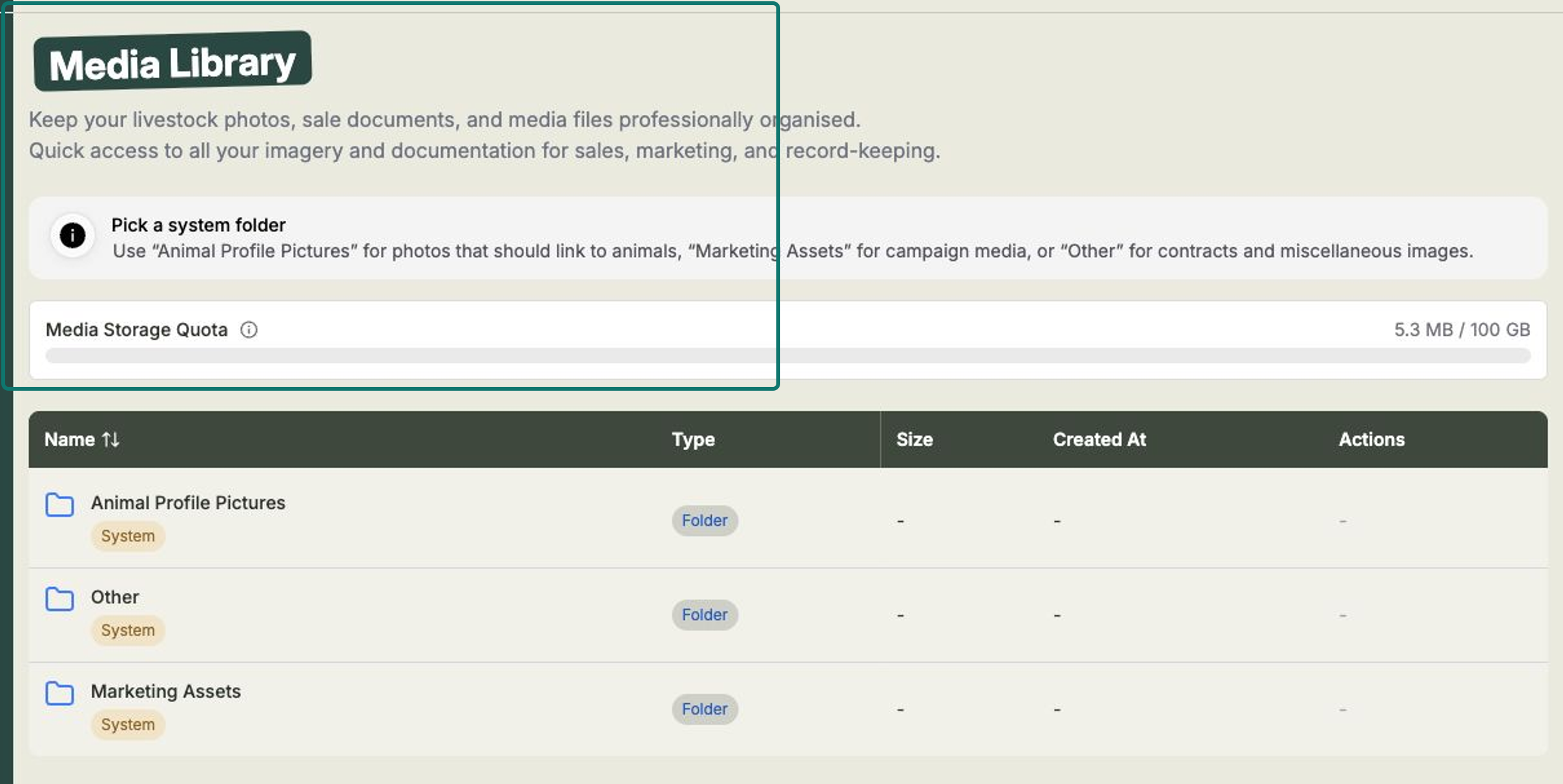
The Media Library is one place to keep all your livestock photos, sale documents, and marketing files neatly organised. Open Media Library from the left-hand menu.
You'll find your imagery and documents grouped into folders, with quick access for sales, marketing, and everyday record-keeping.
How it's organised
Frisbee starts you off with three ready-made folders. You can't delete these, but you can add your own subfolders inside any of them to keep things tidy.
- Animal Profile Pictures — photos that should link to your animals.
- Marketing Assets — imagery for your email campaigns.
- Other — contracts, documents, and anything else.
Near the top you'll also see your Media Storage Quota — a quick indicator of how much of your storage you've used (for example, "5.3 MB / 100 GB").
Uploading files
Open any folder, then choose how you'd like to add your files.
- Open Media Library and select a folder — for example, Marketing Assets.
- Select Upload Files to add individual files, or Upload Folder to bring across a whole folder of media at once.
- Choose the files from your computer and let them finish uploading.
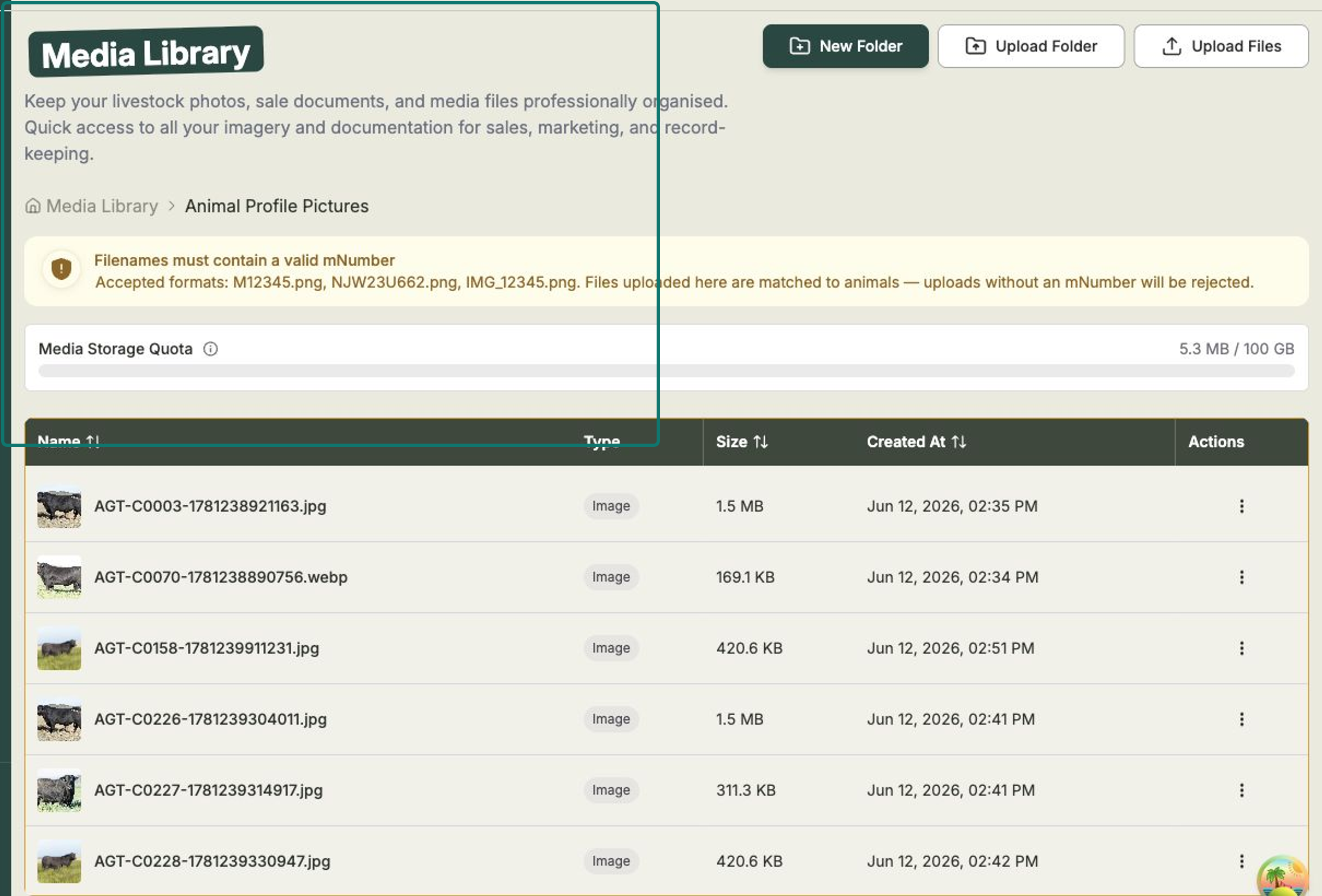
Want to organise things further? Select New Folder to create a subfolder inside the folder you're in.
Linking photos to animals
Photos in Animal Profile Pictures can be matched to your animals automatically — so the right photo shows up on the animal's record and on your public sale page.
The trick is the filename. Each photo needs to include the animal's M number, for example:
M12345.pngNJW23U662.pngIMG_12345.png
When you upload a photo named this way, Frisbee links it to the matching animal for you.
Filenames matter here
In Animal Profile Pictures, every file must contain a valid M number. Photos uploaded without one will be rejected — so double-check the filename before you upload.
Downloading or removing a file
Each file has its own actions menu.
- Open the folder that holds the file.
- Find the file in the list — you'll see its Name, Type, Size, and Created At date.
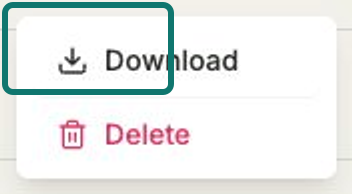
- Open the file's actions menu and choose Download to save a copy, or Delete to remove it.
Keep your library tidy
A clear, well-named photo in Animal Profile Pictures helps buyers recognise your animals on public sale pages. Use Marketing Assets for campaign imagery and Other for documents like contracts.