

Appearance
Your public sale page
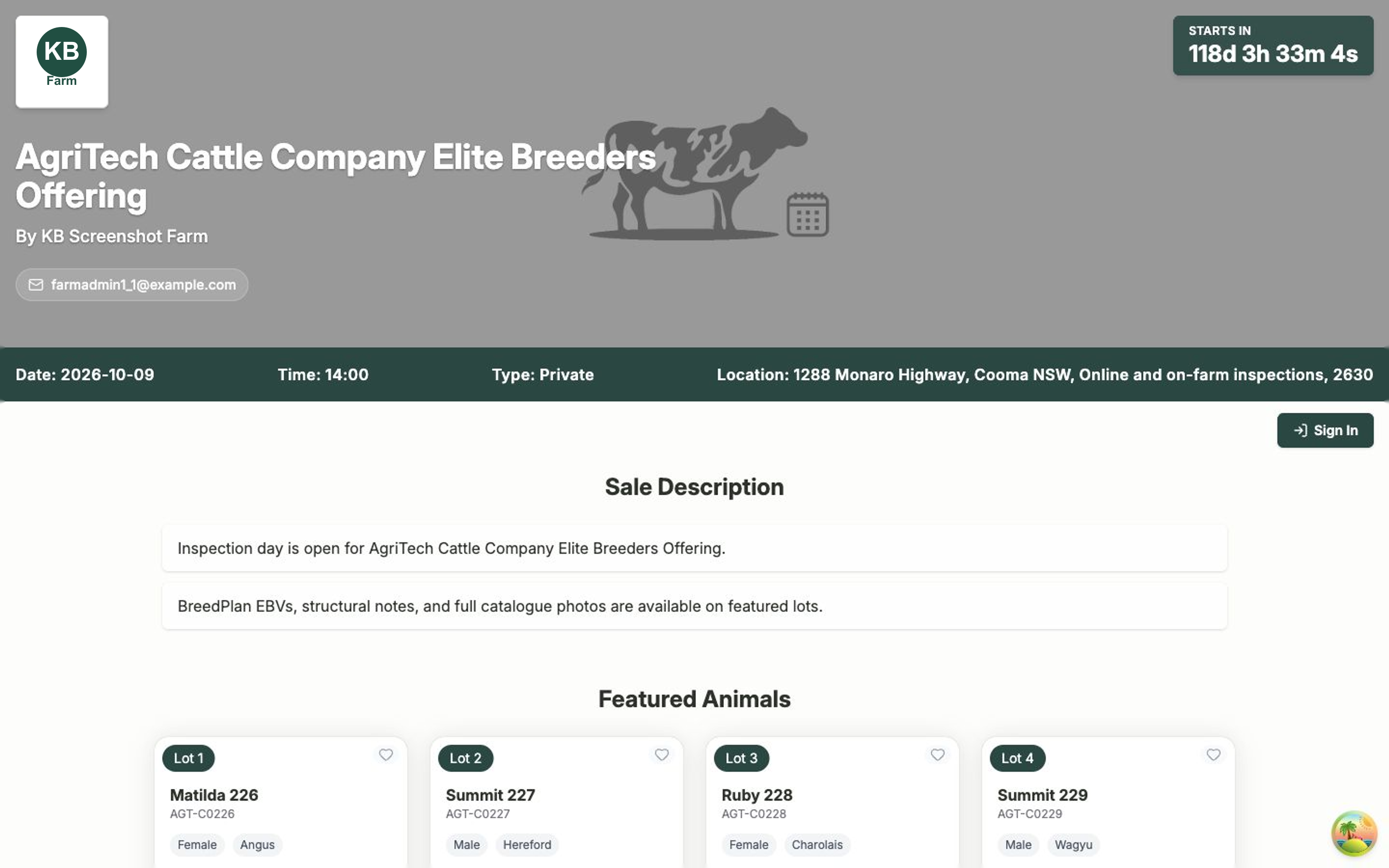
When you run a sale in Frisbee, we build a clean, buyer-friendly web page for it automatically. There's no login needed to view it — you can share the link with anyone, anywhere. This is the page your buyers spend time on, so it's worth knowing what they see and how to keep it up to date.
In this section
- Sharing your sale page — get the public link, embed the catalogue on your own website, and publish your latest changes.
What your buyers see
The public sale page pulls everything together in one place:
- A header with a countdown to the sale, your sale name, your farm name, and your contact details (phone, email, address, mobile and website) — so buyers always know how to reach you.
- A sale description drawn from the updates you post on the sale.
- Featured animals — the lots you've flagged as featured, shown as eye-catching cards.
- All animals in the sale, which buyers can switch between a Table or Grid view.
- Filters so buyers can narrow the catalogue by Breed, Sire, Dam or rank lots by any EBV value, best to worst.
- Lot cards and lot details showing each animal's key figures, breeding values, pedigree, notes and photos.
Buyers can create their own account on the page to save favourites and keep private notes as they browse — but they never need an account just to look.
Keeping the page accurate
The public page reflects the choices you make back in the sale itself. What appears — and what stays hidden — is up to you:
- Use the sale's Configuration to decide which EBV traits, index cards and percentile rankings buyers see.
- Flag your standout lots as featured so they appear at the top.
- Post sale updates to build out the description buyers read first.
Changes don't go live until you publish
Edits you make to a sale won't appear on the public page until you click Publish Changes on the sale. Always publish once you're happy — see Sharing your sale page.
Related
- Sales — set up and manage the sale behind the page.
- Choosing what buyers see — control the catalogue and EBV display.
- Inquiries — where buyer messages land.