

Appearance
Animals
Your animals are the heart of Frisbee. Every animal gets its own record — breeding details, performance figures, photos, genetics and sale history all in one place. From the Animals page you can keep a complete, searchable inventory of your herd and track its quality over time.
Open Animals from the left-hand menu to see your full list. From there you can search, filter by status, sort any column, and open any animal to see (or edit) its full record.
In this section
- Adding an animal — create a single animal record by hand.
- Importing animals & EBVs — bring in many animals or performance figures at once from a spreadsheet.
- The animal record — photos, details, pedigree, notes and performance data on a single page.
- Recording status, sales & buyers — mark an animal as active, in sale or sold, and link it to a buyer.
Finding your way around the list
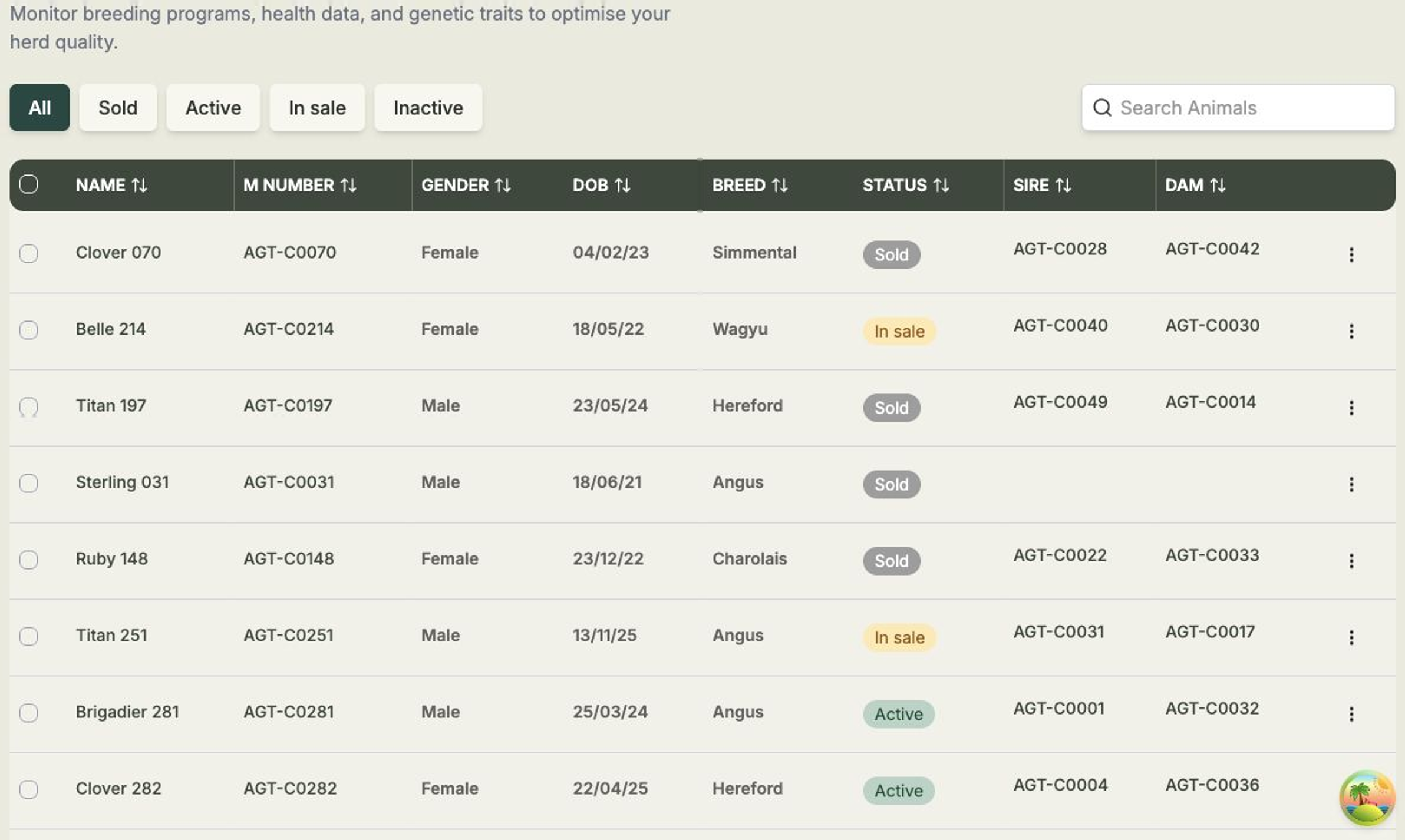
Across the top of the list you'll find the status filter tabs — All, Sold, Active, In sale and Inactive — so you can quickly narrow down to the animals you care about. Use the Search Animals box to find an animal by name or tag, and select any column heading (NAME, M NUMBER, GENDER, DOB, BREED, STATUS, SIRE or DAM) to sort by it.
To work on several animals together, tick the checkboxes on the left of each row — a bar appears with options to act on your selection. Select an animal's NAME or M NUMBER to open its full record.
Only two details are required
When you add an animal, the only fields you must fill in are Animal Id (the tag or M number) and Gender. Everything else can be added later as you learn more about the animal.