

Appearance
The animal record
Every animal has its own record — a single page with its photos, key details, family tree, notes and performance figures. It's where you'll spend most of your time once an animal is in Frisbee.
Open Animals from the left-hand menu, then select an animal's NAME or M NUMBER to open its record. The header shows the animal's tag and name, and a Go back button returns you to the list.
Photos and videos
At the top of the record is the photo gallery. Select Choose File or Add photo to upload an image, drag photos to reorder them, and use Delete photo to remove one. Videos show a Play video button. A clear profile photo helps buyers recognise the animal on your public sale pages — see the Media library for more on managing images.
Details
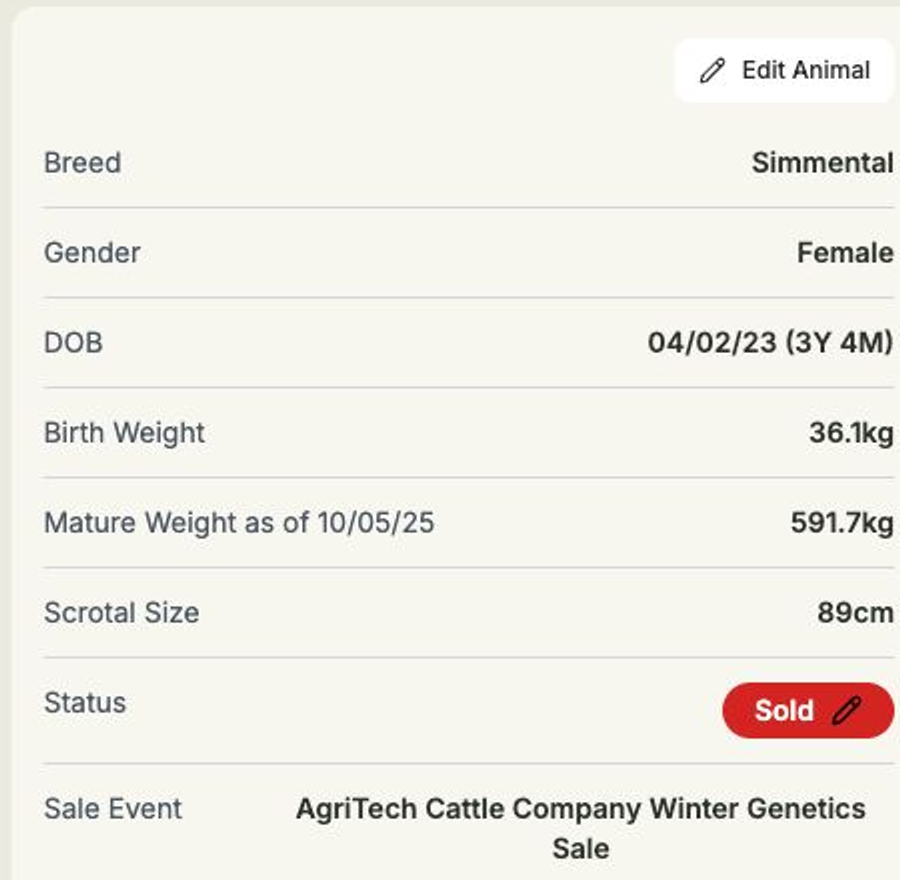
The details block shows the animal's Breed, Gender and DOB (with its age worked out for you), plus Birth Weight, Mature Weight (as at its recorded date) and Scrotal Size. It also shows the animal's Status, with an Edit Status button — see Recording status, sales & buyers.
To change any of these details, select Edit Animal to reopen the form with everything filled in, make your changes, and save.
For every breed, About also includes Tenderness Score (a whole number from 1 to 10) and Colour (free text). These are optional standard fields and do not count towards your custom-field limit. If colour is currently recorded in Genetic Condition, use Edit Animal to copy it to Colour and remove only the colour text from Genetic Condition.
Pedigree
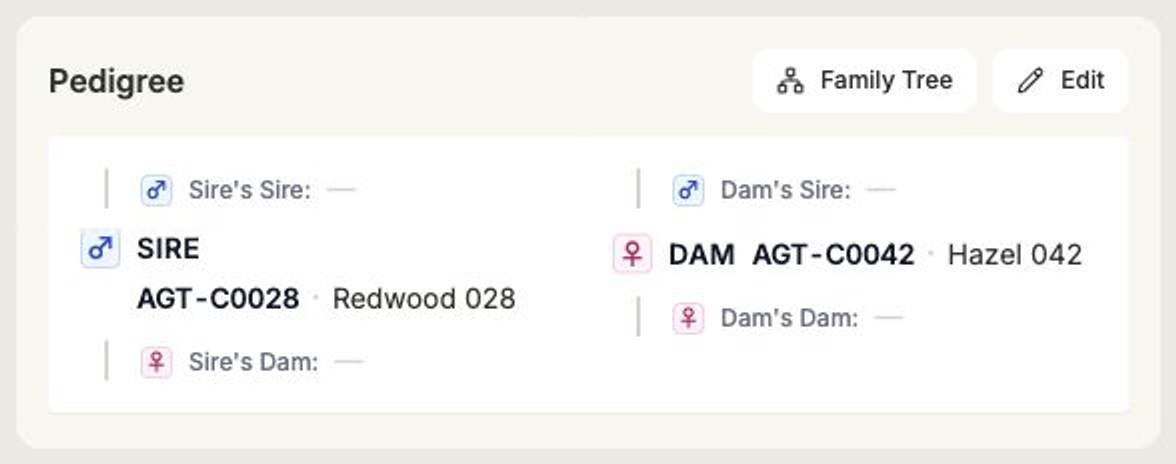
The Pedigree section shows the animal's sire and dam, and — when you've recorded them — grandparents and great-grandparents. Each recorded ancestor links to that animal's own record; a dash (—) means it hasn't been set. Select Family Tree for a visual view, or Edit to assign parents and the generations above them.
Notes
Keep your own observations against an animal in the Notes section. Select New Note to add one, and use the actions menu on any note to edit or delete it.
Performance and genetics
Two tabs sit lower on the record:
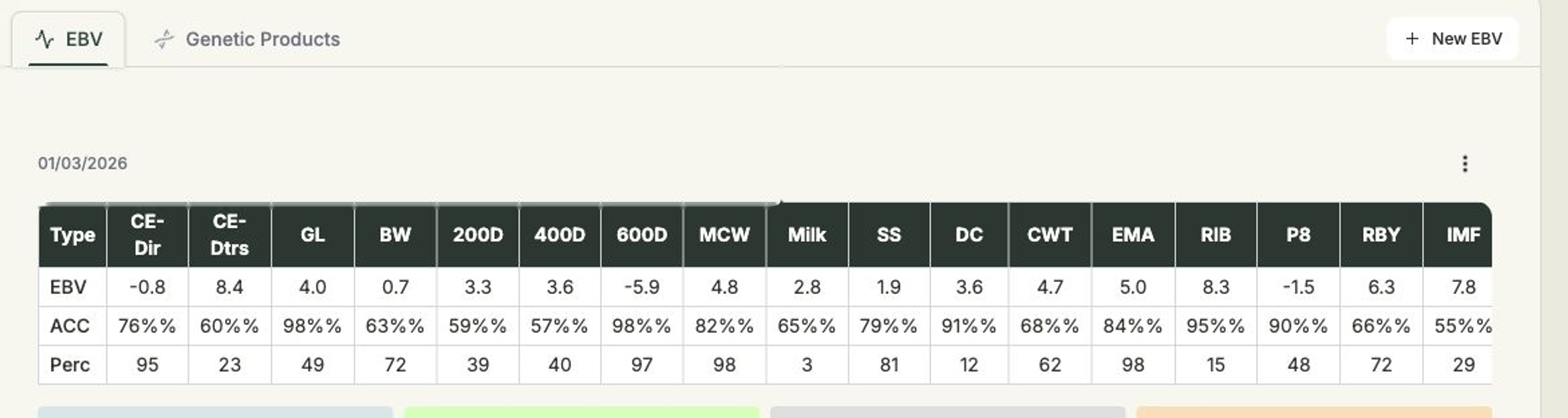
- EBV — a table of the animal's breeding values by date, covering traits and selection indexes. Add a record with New EBV, or import them in bulk (see Importing animals & EBVs). Which traits appear here is set in EBV display.
- Genetic Products — the semen or embryo products linked to this animal. See Genetics for more.
Observed Traits is an optional free-text field available for every breed. Enter or update it through Edit Animal. It appears in smaller text below the EBV section, including when there are no EBV records. Clearing the field removes the displayed text. Colour, Tenderness Score and Observed Traits also appear on the public sale animal details after the catalogue is refreshed.
Related
- Recording status, sales & buyers — mark an animal for sale.
- Importing animals & EBVs — bulk-import figures.
- EBV display — choose which breeding values to show.
- Media library — manage your photos and videos.