

Appearance
EBV display
EBV display lets you choose which EBV traits and indexes are visible across your animal profiles and public sale pages. It's a tidy-up tool — turn off the figures you don't use so the ones that matter stand out.
Open Settings from the left-hand menu, then choose EBV Display.
Steps
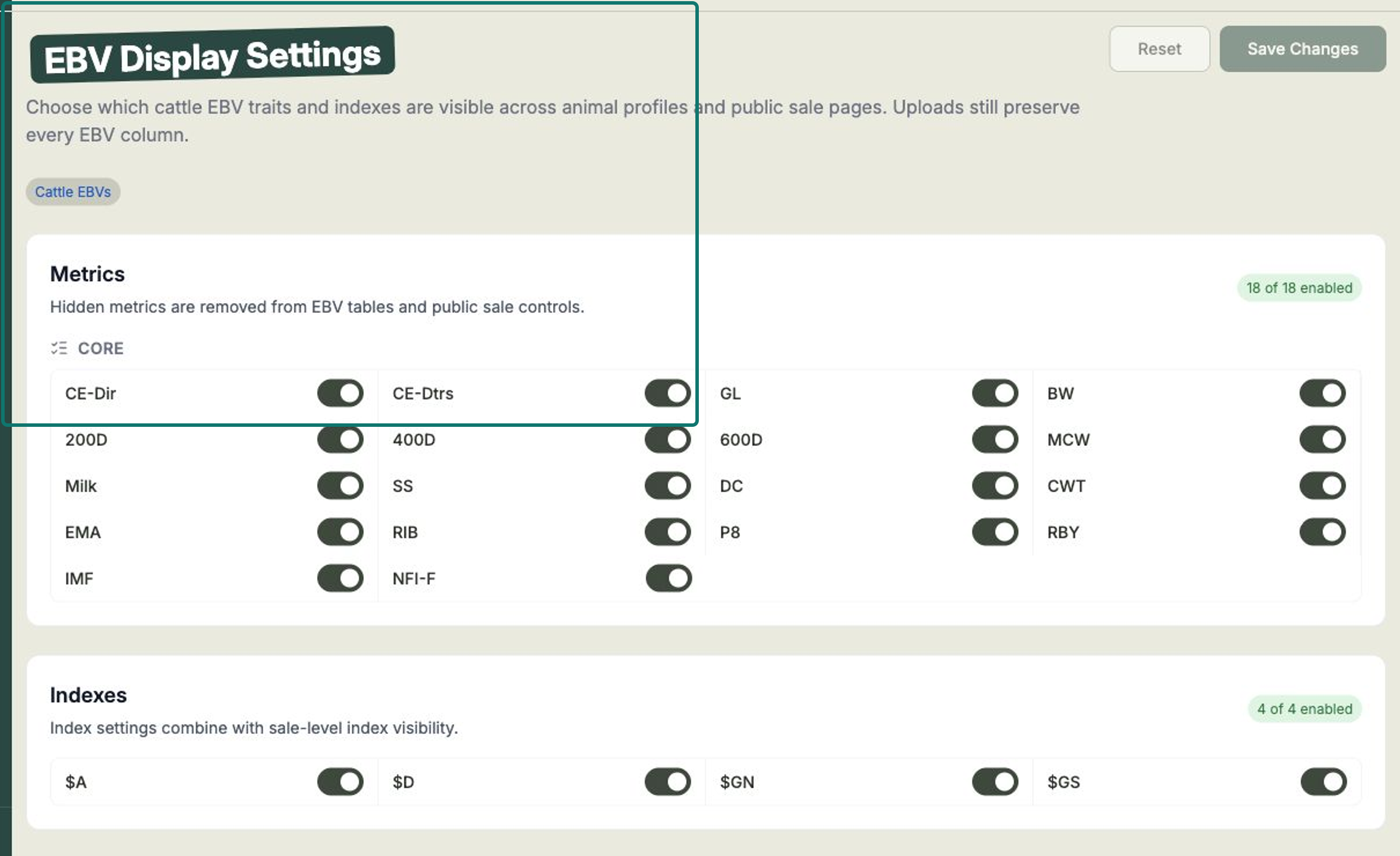
- Under Metrics, you'll see every EBV trait for your species, each with a toggle. Turn off any trait you'd rather not show. A counter (for example, "18 of 18 enabled") keeps track of how many are on.
- Under Indexes, toggle the indexes you want to show — for example $A, $A-L, $D, $GN and $GS. $A and $A-L are the two Angus Australia leads with; the others remain available if your herd uses them.
- Select Save Changes. To start over, use Reset.
A few things worth knowing:
- Hidden traits are removed from your EBV tables and from the public sale controls — buyers won't see them either.
- The trait list depends on your species, so what you see here matches your animals.
- This is your global default. An individual sale can narrow things further from its own settings, so a sale's public page may show fewer traits than you've enabled here — but it can't show ones you've hidden.
Your uploads keep everything
Hiding a trait only changes what's displayed — it never deletes data. Every EBV column from your uploads is preserved, so you can switch a trait back on at any time and it'll be right where you left it.
Related
- Importing animals & EBVs — bring your EBV figures into Frisbee.
- Choosing what buyers see — narrow the EBVs on a single sale.
- Your public sale page — where buyers see your EBVs.