

Appearance
API keys
An API key lets an external system — like your own website — send inquiries straight into Frisbee. Hand your web developer a key, and a form on your site can deliver enquiries directly to your Inquiries list, no copy-and-paste required.
Open Settings from the left-hand menu, then choose API Keys.
Steps
- Select Generate API Key.
- Give the key a Name so you'll remember what it's for (for example, "Website contact form").
- Copy the key and pass it to your web developer — they'll use it to send your website's form submissions to Frisbee.
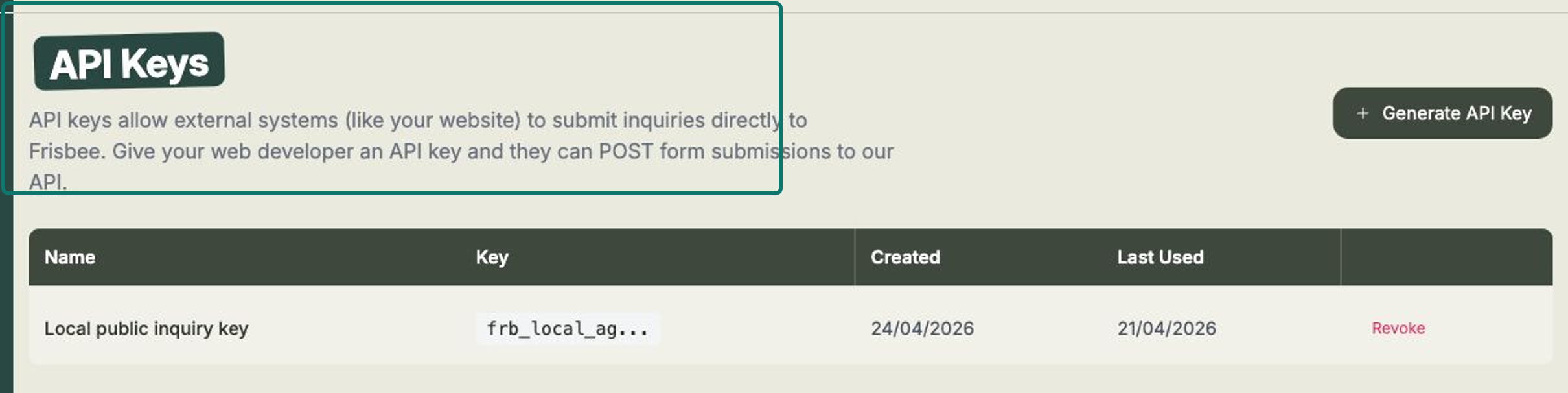
Your keys are listed in a table showing each key's Name, a masked Key, when it was Created, and when it was Last Used — handy for checking a key is actually working. If a key is no longer needed, or you think it's been shared too widely, select Revoke to switch it off.
Inquiries that arrive through a key land in your Inquiries list just like any other, marked with the source public-api so you can tell where they came from.
This is a job for your web developer
You don't need to be technical to use this — generate the key, then hand it to whoever looks after your website. They'll connect your contact form to Frisbee for you.
Related
- Inquiries — where submissions from your website arrive.
- Reviewing & converting inquiries — turn an enquiry into a client.
- Your public sale page — another way buyers reach you.