

Appearance
Usage & quotas
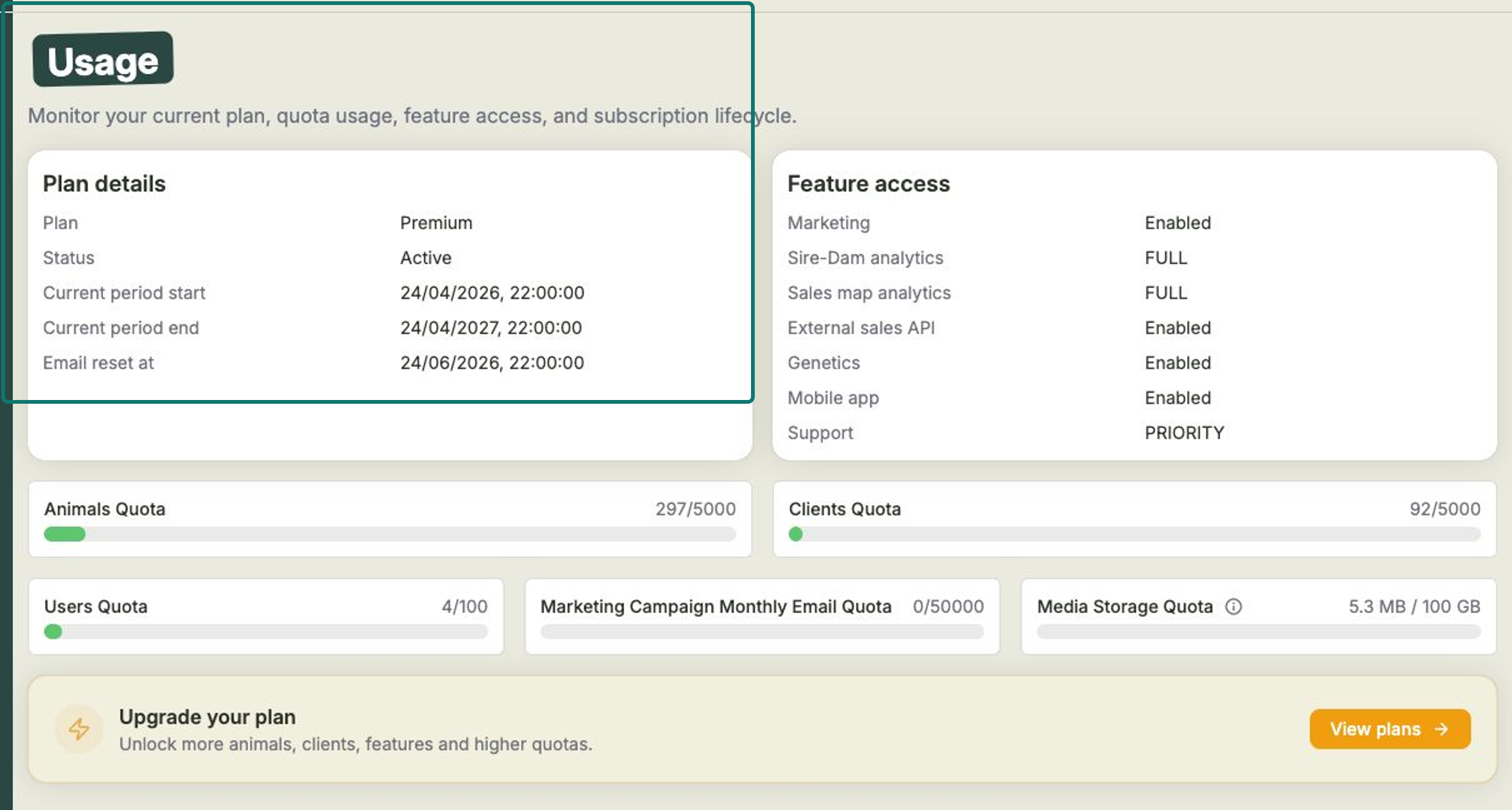
The Usage page is your at-a-glance view of your plan: what you're on, what's included, and how much of it you've used. It's the place to check before you add more animals, invite more team members, or send a big email campaign.
Open Settings from the left-hand menu, then choose Usage.
What you'll see
Plan details — your current plan (for example, Premium), its Status (such as Active), your current billing period start and end, and the date your email allowance resets.
Feature access — which features your plan unlocks, each marked as enabled or with the level you get. These cover things like:
- Marketing — email campaigns to your clients.
- Sire-Dam analytics and Sales map analytics — your analysis tools.
- External sales API — sending inquiries in from your website.
- Genetics, the Mobile app, and your Support level.
Quotas — how much you've used against your limit, shown as used / limit, for:
- Animals
- Clients
- Users
- Marketing campaign monthly email
- Media storage
Need more room?
If you're bumping up against a limit, or want a feature your plan doesn't include, select Upgrade your plan → View plans to compare what's available and move up.
Keep an eye on your quotas
Quotas like animals, users and monthly emails reset or count per billing period. If a number is getting close to its limit, it's a good prompt to review your plan before it gets in your way.
Related
- Plans & billing — how billing works and what each plan includes.
- Choosing & changing your plan — upgrade or switch plans.
- Managing your team — your team counts towards the Users quota.
- Media library — your photos and files count towards media storage.