

Appearance
Plans & billing
Your Frisbee plan sets how much you can keep in the app — animals, clients, team members, marketing emails and media storage — and which features you can use. This section explains where to find your plan, what each plan includes, and how to move up or down a tier when your operation changes.
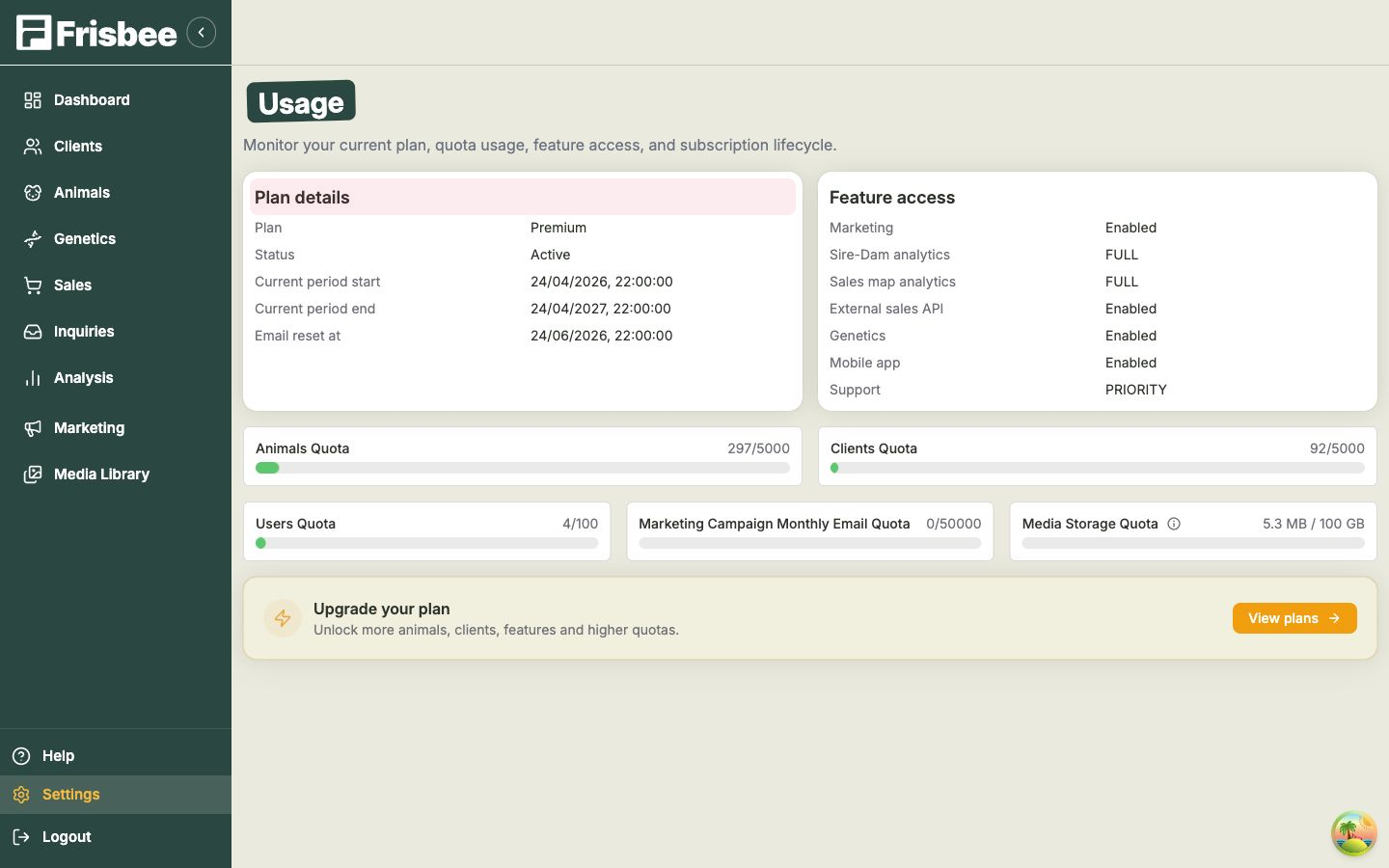
Everything to do with your plan lives on one page: open Settings from the left-hand menu, then choose Usage. From there you can see exactly where you stand and open View plans whenever you want to make a change.
In this section
- Choosing & changing your plan — compare the plans and upgrade, downgrade or switch billing.
What your plan controls
The Usage page shows your current Plan, your Status, and your billing period start and end dates. Below that you'll see your feature access and your quotas — the limits that come with your plan:
- Animals — how many cattle or sheep you can hold.
- Clients — how many buyers and contacts you can store.
- Users — how many people from your team can have a login.
- Monthly emails — how many marketing emails you can send each month.
- Media storage — how much space you have for photos and videos.
Higher plans also unlock features such as marketing campaigns, genetics, the media library and mobile app, and the external sales API. You can see exactly what's included in each plan from the View plans dialog.
Approaching a limit?
If you're getting close to one of your quotas — say you've nearly filled your animal or client allowance — you don't lose anything. Open View plans and move up to a higher tier to unlock more room straight away. See Usage & quotas for a closer look at the figures.
Related
- Choosing & changing your plan — pick the plan that fits your operation.
- Usage & quotas — keep an eye on your limits.