

Appearance
Choosing what buyers see
You decide which breeding values appear on your public sale page. Open your sale and select the Configuration tab to control how much EBV detail buyers see.
Steps
- Open your sale and select the Configuration tab.
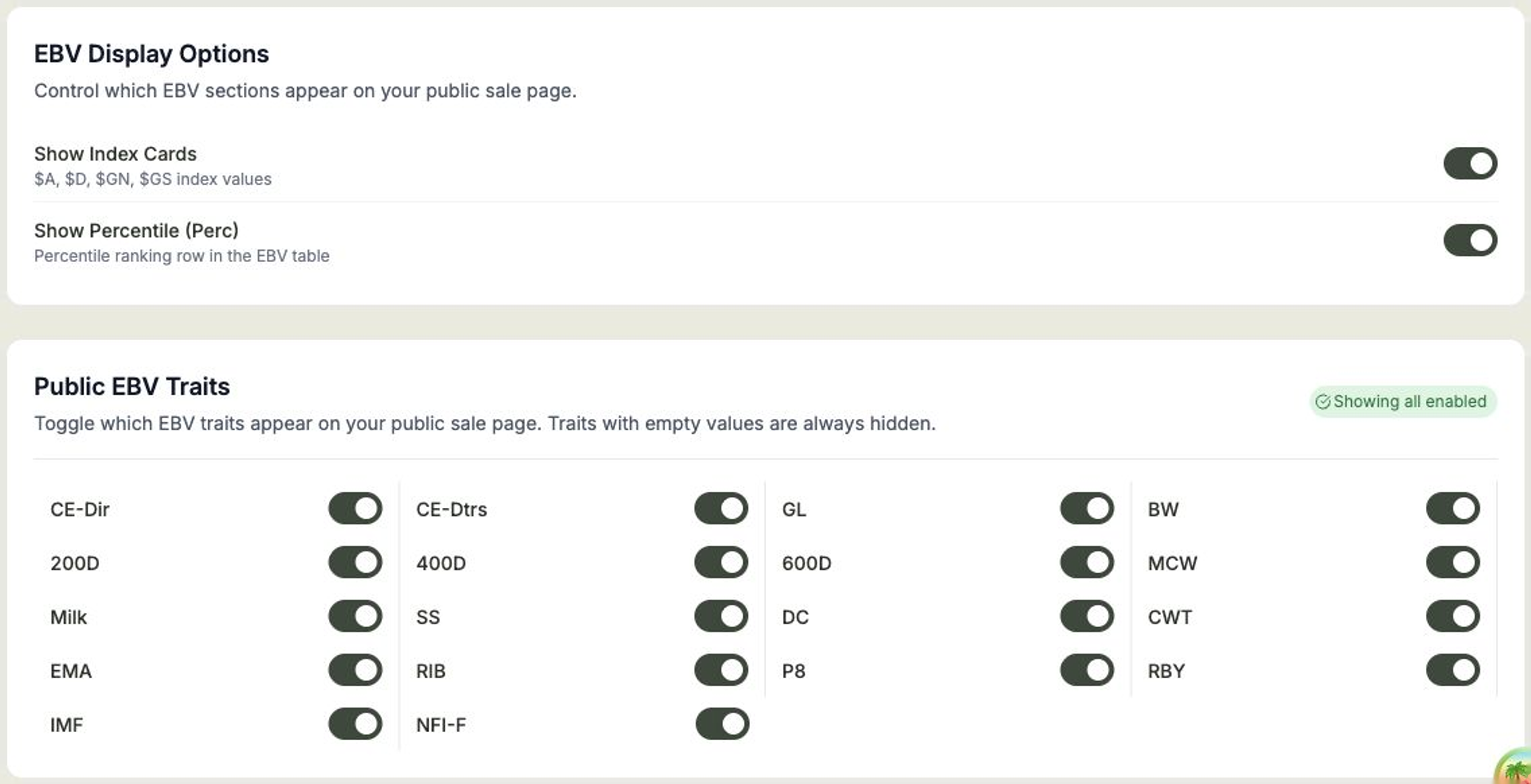
- Switch Show Index Cards on or off to show or hide the index values ($A, $A-L, $D, $GN, $GS).
- Switch Show Percentile (Perc) on or off to show or hide the percentile ranking row.
- Under Public EBV Traits, switch on the individual traits you want buyers to see (such as BW, 200D, 400D, or 600D) and switch off the ones you'd rather leave out.
Empty traits are hidden automatically
Any trait with no recorded values is always hidden, even if it's switched on — so your public page only ever shows figures you actually have. The traits available depend on your breed or species.
Showing expected values as prices
Under Pricing, switch Show Expected Value on to display each lot's expected value on your public sale page. Buyers see it labelled simply Price — on the catalogue table, the lot cards, the lot detail view, and featured animal cards — and get a price range filter so they can browse lots in their budget.
Because expected values are commercially sensitive, this is off for every sale unless you turn it on, and Frisbee asks you to confirm before saving the setting. The values remain private until you select Publish Changes. Turning the setting off is the safety exception: it hides the values again straight away, removing them from the public page entirely. Lots without an expected value simply show no price.
Publish to update the page
Your buyers won't see these changes until you select Publish Changes. The button tells you when there are unpublished changes waiting.