

Appearance
Creating a sale event
A sale event groups the animals you're offering and powers a shareable public sale page. Open Sales from the left-hand menu to begin.
Steps
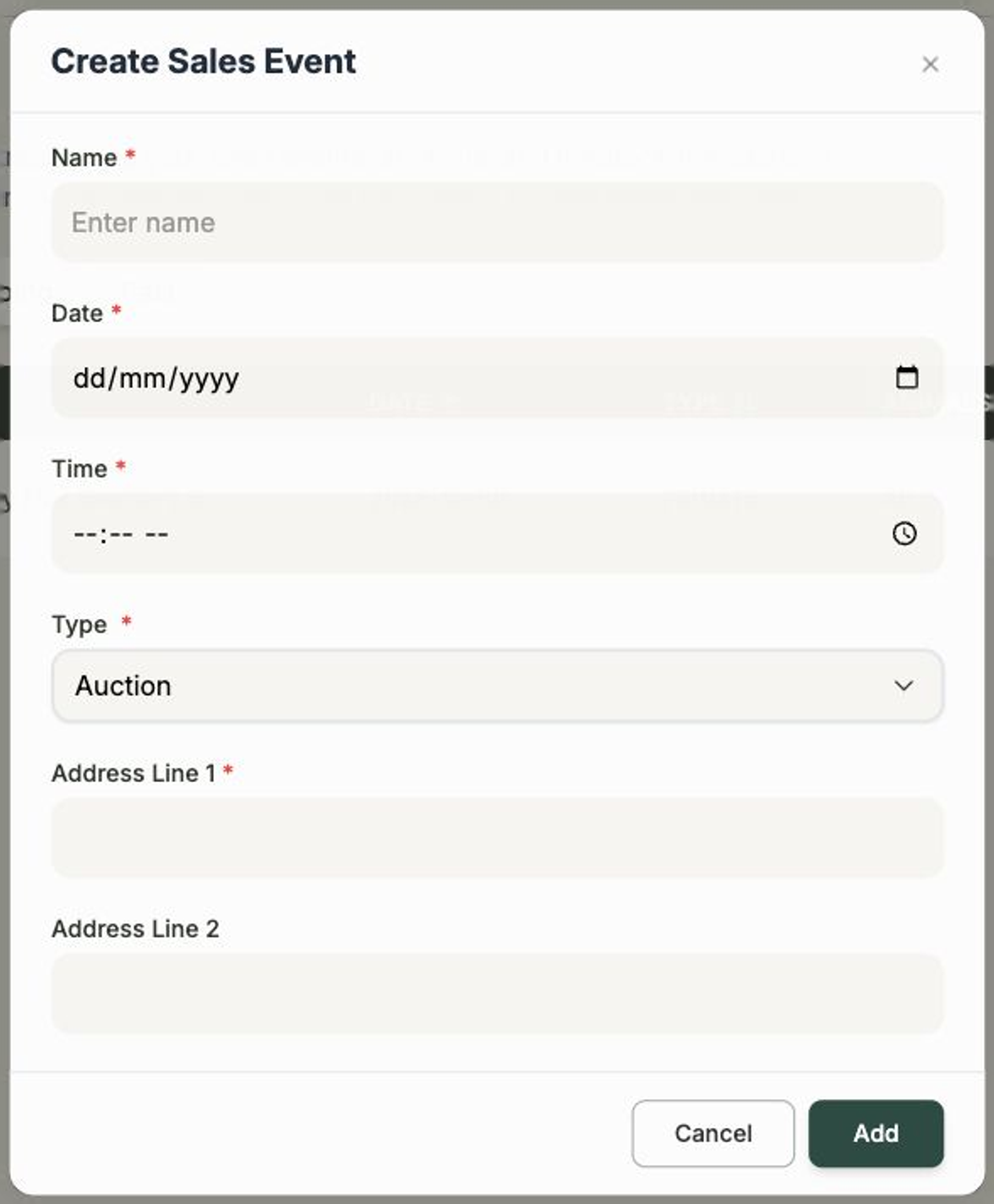
- On the Sales page, select + Add Sales Event.
- Give your sale a Name, then set the Date and Time.
- Choose a Type — Auction or Private.
- Enter the location: Address Line 1, an optional Address Line 2, and the Postal Code.
- If you have one, paste a Pre Sale Video YouTube Link to feature ahead of the sale.
- Select Add to create the sale.
What's required
You'll need a Name, Date, Time, Type, Address Line 1, and Postal Code. Address Line 2 and the pre-sale video are optional — you can always come back and add them later.
After you create it
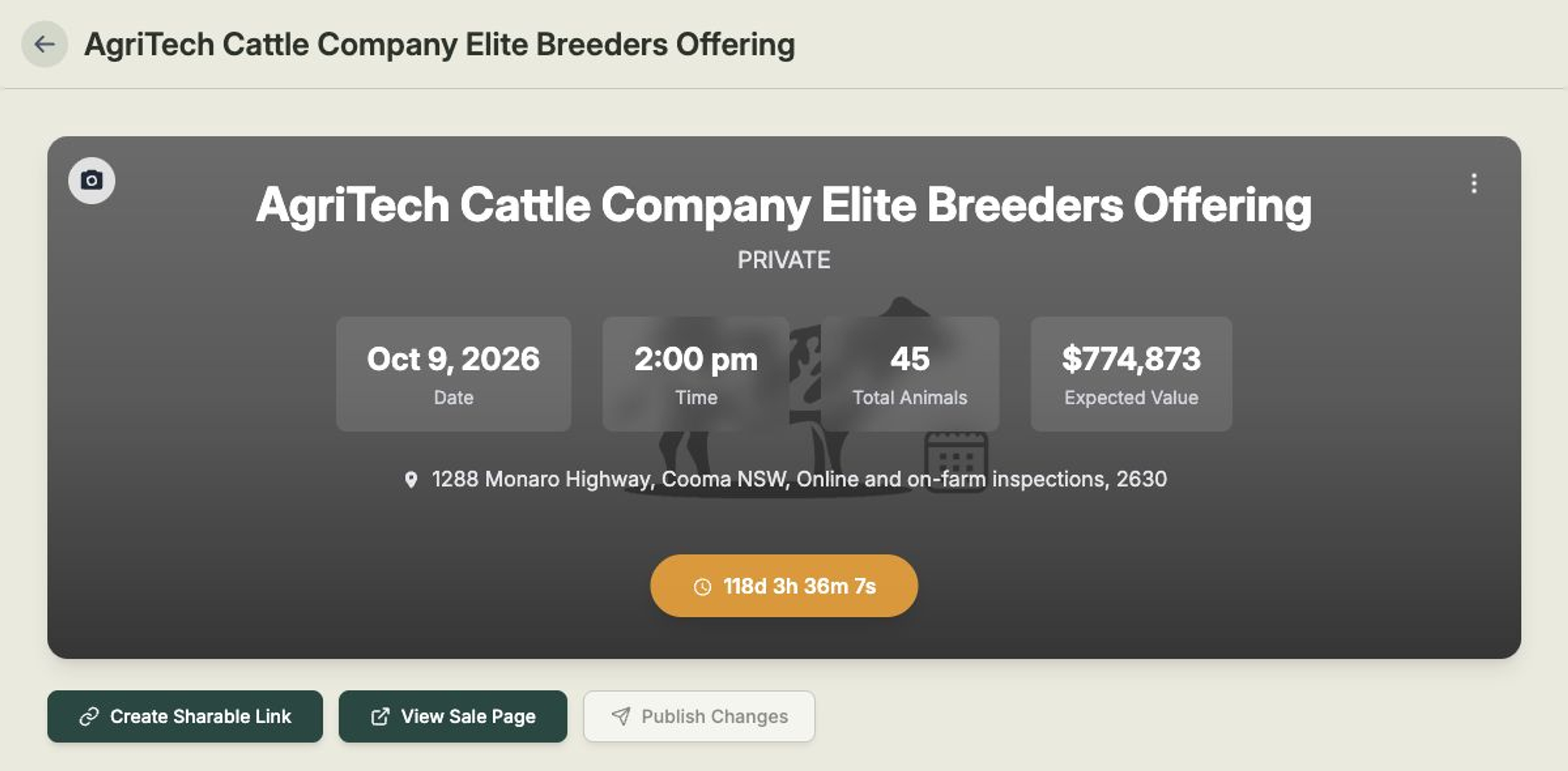
Your new sale opens on its own page, starting on the Animals tab. From the header card you can see a live countdown to the sale day, along with the type, date, time, total animals, and expected value. From here you can:
- Upload Event Image — add a banner image that buyers see at the top of your public page.
- Event actions — choose Edit Event to change any of the details above, or Delete Event.
- Create Sharable Link — get the public page link and embed URL to share with buyers.
- View Sale Page — open the buyer-facing public page in a new tab to see how it looks.
The next step is to add the animals you're selling.