

Appearance
Printing your sale catalogue
Every sale comes with a printable catalogue, laid out and ready to download as a PDF. It uses the same lots, photos, pedigrees and breeding values as your public sale page, so there's nothing to re-type. Open your sale and select the Catalogue tab.
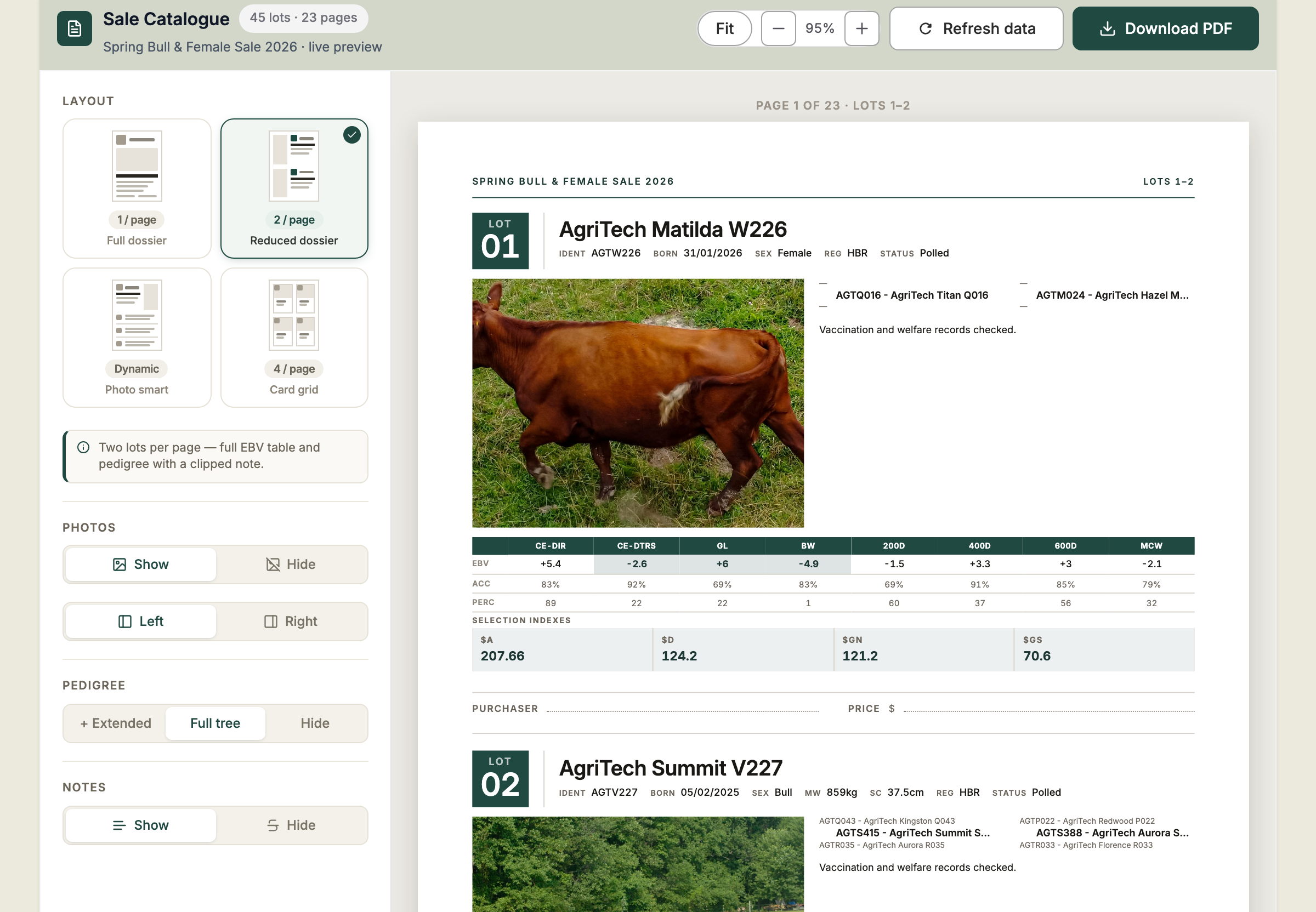
Steps
- Open your sale and select the Catalogue tab. A live preview shows every page, with the number of lots and pages at the top.
- Under Layout, choose how many lots go on a page:
- 1 / page — Full dossier: the full EBV table, pedigree to grandparents, structural scores and notes.
- 2 / page — Reduced dossier: the full EBV table and pedigree, with a shorter note.
- Dynamic — Photo smart: keeps your lot order, putting two lots on pages with photos and three on pages without.
- 4 / page — Card grid: photo cards with the EBV table and lead index.
- Under Photos, choose Show or Hide, and whether the photo sits on the Left or Right.
- Under Pedigree, choose Full tree (parents and grandparents), + Extended to add great-grandparents, or Hide.
- Under Notes, choose Show or Hide.
- Use Fit, − and + to zoom the preview.
- Select Download PDF to save the catalogue, ready to print or email.
Each lot ends with blank Purchaser and Price lines, so the catalogue doubles as a sale-day run sheet.
The catalogue follows your Configuration
Which index values, percentiles and EBV traits print is set on the sale's Configuration tab — see Choosing what buyers see. The catalogue picks up those choices straight away, without publishing.
Changed a lot? Refresh the preview
If you've just edited an animal or a lot, select Refresh data to load the latest details into the preview before you download.