

Appearance
Adding an animal
You can add animals one at a time from the Animals page, or import many at once — see Importing animals & EBVs when you have a spreadsheet to bring in.
Open Animals from the left-hand menu to get started.
Steps
- On the Animals page, select Add New Animals in the top-right.
- In the Create Animal window, enter the Animal Id — this is the animal's tag or M number, and it's required.
- Choose a Gender (Male or Female) — this is also required.
- Fill in any other details you have. You can set the Name, DOB, Breed (chosen from your farm's breed list), Birth Weight, Mature Weight and its date, Scrotal Size, and a YouTube Video URL.
- Select Save to create the record.
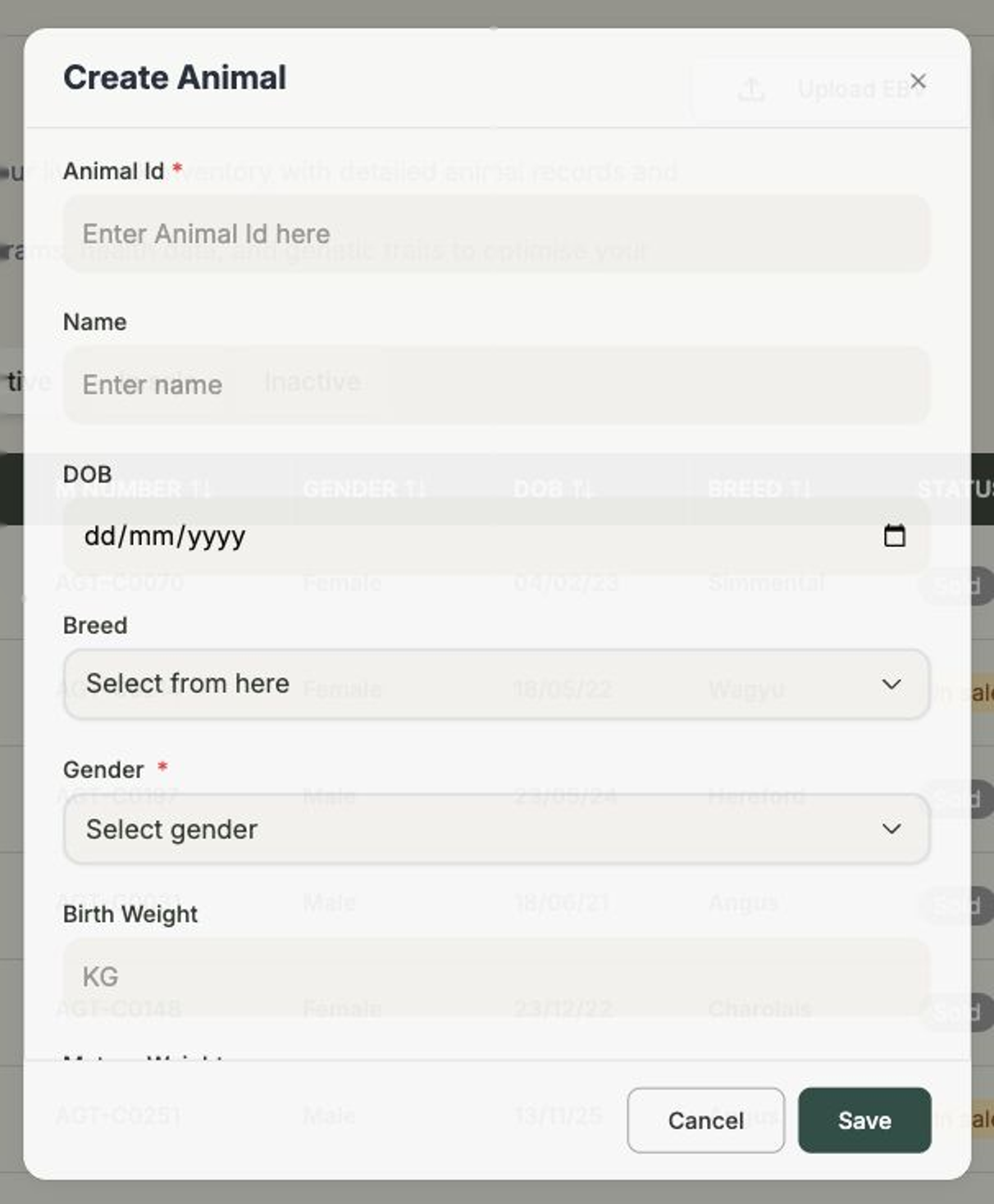
Only Animal Id and Gender are required
Everything else is optional. It's perfectly fine to create an animal with just its tag and gender now, then come back and fill in the rest later from its record.
That's it — your new animal appears in the list, and you can open it any time to add a photo, record breeding details, or enter performance figures. See The animal record for everything you can do from there.
Next steps
- The animal record — add photos, pedigree and notes.
- Importing animals & EBVs — add many animals at once.
- Recording status, sales & buyers — get an animal ready to sell.