

Appearance
Your first-time setup
The first time you sign in, Frisbee runs a short setup wizard to get your farm ready. It's just a step or two, and you can change everything later in Settings.
Steps
- Sign in for the first time — the setup wizard appears automatically.
- Change Password — if you were invited with a temporary password, set your own here. Enter your New Password and Confirm New Password.
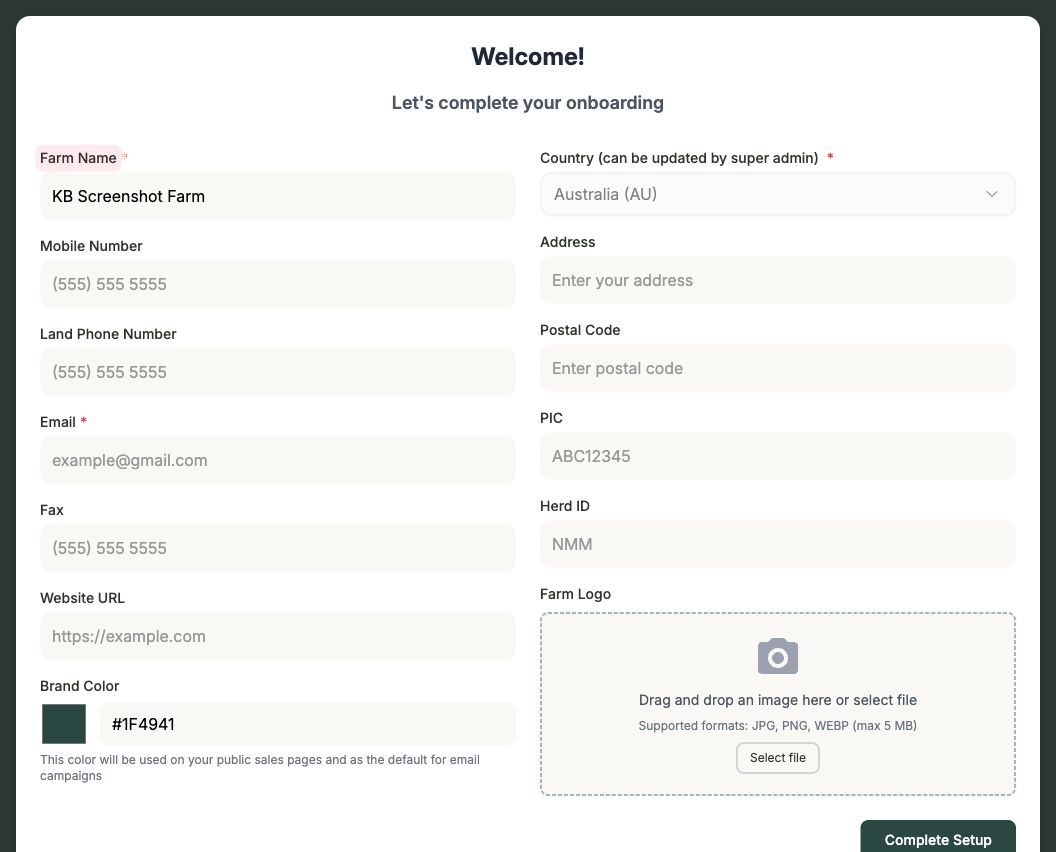
- Farm Details — complete your farm profile so it's ready to go. You can fill in:
- Farm Name, Email, Mobile, Land Phone, Fax and Website
- Your Brand Color — used to colour your public sale pages
- Your Address and Postal Code
- Your PIC and Herd ID
- A Farm Logo
- Finish the wizard — you'll land on your dashboard.
You can change this any time
These are the same details as Settings → Farm Profile, so don't worry about getting everything perfect now — you can update them whenever you like. See Farm profile.