

Appearance
Signing up & free trial
Creating a Frisbee account takes just a minute. You can start a free trial with no payment details, or sign up and pick a plan straight away.
Start a free trial — no payment required
This is the easiest way to get going. There's no plan to choose and no card details to enter.
- Open the Frisbee free trial page.
- Fill in your details: Full Name, Email, Password and Confirm Password.
- Add your Farm Name.
- Choose your Country — Australia or New Zealand.
- Choose your Farm Type — Cattle or Sheep. This sets up the right breeds and EBV defaults for your operation.
- Select Create Account.
Sign up and choose a plan
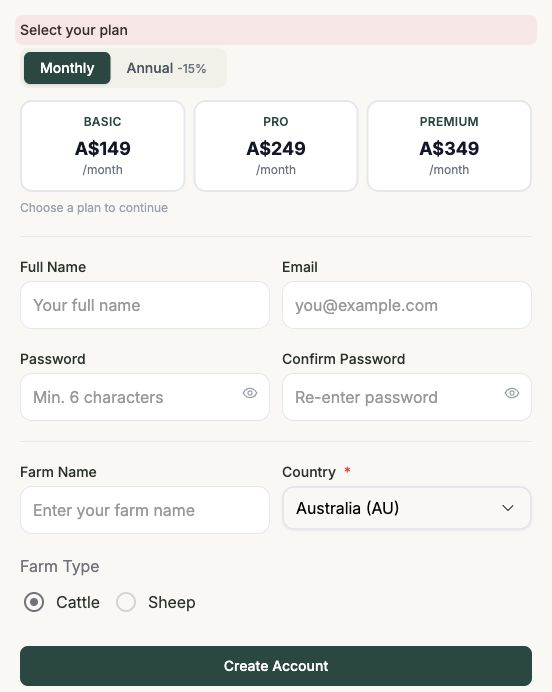
If you'd rather pick a plan from the start, use the sign-up page instead.
- Open the Frisbee sign-up page.
- Under Select your plan, choose how you'd like to pay — Monthly, or Annual to save 15%.
- Pick the plan that suits you: BASIC, PRO or PREMIUM.
- Fill in the same account details: Full Name, Email, Password, Confirm Password, Farm Name, Country and Farm Type.
- Select Create Account.
Already have an account?
Select Sign in to go straight to the login page. See Logging in.
After you create your account, Frisbee runs a short setup wizard to get your farm ready.